


How to Check FASTag Balance
You can check your FASTag balance through the My FASTag app, your issuer's website or app, SMS and email alerts, or a missed call to the NHAI prepaid wallet number. The method you choose depends on who issued your FASTag and whether you have internet access. This guide explains each method step by step.
Here's how you can find out the details of your FASTag balance without any hassles:
FASTag Balance Check – Overview
Balance Check Method | Mode (Online / Offline) | Login Needed | Vehicle Number Required |
NHAI / FASTag Issuer Website | Online | Yes | Yes |
My FASTag App (NHAI) | Online | Yes | No |
Issuer Bank / Wallet Website | Online | Yes | No |
Mobile Wallet Apps (Paytm) | Online | Yes | No |
SMS Alerts | Offline | No | No |
Email Alerts | Offline | No | No |
Missed Call Service (8884333331) | Offline | No | No |
FASTag Balance Check Methods
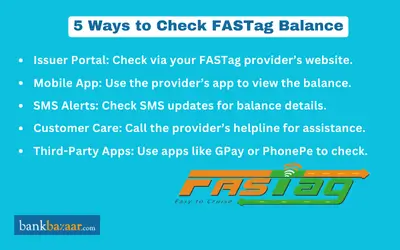
You can check your FASTag balance using different online and offline options. The method you choose may depend on your FASTag issuing bank, the app you use, or whether you have internet access. Below are the easiest and most reliable ways to check your FASTag balance:
How to Check FASTag Balance with Vehicle Number
To check the balance on a FASTag account linked to a vehicle, you can follow these steps:
Step 1: Go to the official website of the National Highways Authority of India (NHAI) or the issuer of your FASTag.
Step 2: Click on the link or button to check the FASTag balance or transaction history.
Step 3: On the balance check or transaction history page, you will need to provide the vehicle number linked to your FASTag account. You can also provide your NETC FASTag ID as well as to check the status of your FASTag balance.
Step 4: Once you have entered the vehicle number, click on the 'Check balance' or 'View transaction history' button.
Step 5: The website will then display your current FASTag balance or your recent transaction history, including any toll payments made with your FASTag.
Note: Alternatively, you can also check your FASTag balance through the My FASTag app on Android and iOS devices.
How to Check FASTag Balance Through Website
Step 1: Visit the website of your issuer agency/bank/mobile wallet.
Step 2: Log into the FASTag portal on the website with your login credentials
Step 3: You can now view your balance details
How to Check FASTag Balance via Mobile Application
This mobile application is linked to the NHAI Prepaid Wallet.
Step 1: Download the 'My FASTag App' on your mobile device. This is compatible with both iOS and Android.
Step 2: Enter your login details.
Step 3: Go to the "Balance" or ‘Account Summary’ section after logging in. You can now view your balance amount.
The My FASTag app also shows a colour-coded tag status: green means the tag is active with sufficient balance, orange means the balance is low and red means the tag is blacklisted.
How to Check FASTag Balance Through SMS
Once you have opened your FASTag account and linked your mobile number to it, updates will be sent via SMS each time a deduction has been made from your account. Details will be sent regarding your account balance, toll payments, recharge confirmations, and notifications on low balance.
How to Check FASTag Balance via Email
Similar to how SMS functions, the NHAI will send an email to the registered email address each time a toll fee gets deducted from the FASTag wallet. Here is how you can check your FASTag balance through email:
Step 1: Go to the inbox of the email account you registered.
Step 2: Look for the most recent FASTag deduction email.
Step 3: You will be able to view your FASTag balance.
FASTag Customer Care Helpline
The missed call service to check the FASTag balance is available for FASTag users who registered their number with the NHAI prepaid wallet. To access the service, follow the steps given below:
Step 1: Dial the number 91 888 4333331 from the mobile number registered with NHAI FASTag wallet.
Step 2: The call will be disconnected after a few rings.
Step 3: You will receive an SMS with the details of your FASTag balance.
For problems at the toll plaza itself, such as a wrongly blacklisted tag, a plaza that does not accept or cannot read your FASTag, or monthly pass issues, you can call the toll-free NHAI helpline 1033 from any mobile or landline.
Contact Numbers of FASTag Issuing Banks
Issuing Bank | Customer Care Helpline No |
Airtel Payments Bank | 1800-23400 |
AU Small Finance Bank | 1800-1200-1200 |
Axis Bank Ltd | 1800-419-8585 |
Bank of Baroda | |
Canara Bank | 1800-1030 |
City Union Bank Ltd | |
Equitas Small Finance Bank | |
Federal Bank | |
FINO Payments Bank | |
HDFC Bank | |
ICICI Bank | |
IDBI Bank | |
IDFC First Bank | |
IndusInd Bank | |
Karur Vysya Bank | |
Kotak Mahindra Bank | 1800 4100 |
Nagpur Nagarik Sahakari Bank | |
Punjab National Bank | |
Saraswat Bank | |
South Indian Bank | |
State Bank of India | 1800-11-0018 |
Union Bank of India | |
YES BANK | 1800-3000-1113 |
Why You Should Use FASTag
Given below are the reasons why you must use FASTag:
- You will not be required to slow down your car at the toll booths if you use FASTag technology.
- You will be able to save both time and fuel by being able to continue driving through the toll gates rather than having to stop.
- In the toll plazas, there is almost no congestion or traffic jam because cars do not have to stop or slow down.
- You can use FASTag to pay for tolls electronically and have a hassle-free driving experience for the duration of your trip. FASTag will handle all of your toll payments.
- You will regularly receive in-app notifications and SMSs each time you make a payment using FASTag if you choose to utilise PhonePe for this purpose.
- In the long run, the FASTag is an eco-friendly option as it uses less paper and fuel.
- Frequent travellers can request to have their monthly, standard passes converted to FASTag passes.
- Owners of private non-commercial cars, jeeps and vans can also activate the FASTag Annual Pass on an eligible existing FASTag through the Rajmargyatra app or the NHAI website, valid for one year from activation or 200 trips, whichever comes first.
- The same application process is available online for businesses and fleet owners.
- A FASTag is valid for five years.
- FASTag registration is an easy and quick process.
FAQs on FASTag Balance Check
1.What is the easiest way to check FASTag balance?
The easiest way to check your FASTag balance is through the My FASTag app or your FASTag issuer's website or app. SMS alerts, email alerts and the NHAI prepaid wallet missed call service are the offline options. The overview table above compares every FASTag balance check method.
2. Can I check my FASTag balance online?
Yes, you can check your FASTag balance online through the NHAI website, the My FASTag app or your FASTag issuer's website or app. You need to log in to view the balance.
3.Do I need to log in or enter my vehicle number to check FASTag balance?
Online FASTag balance checks need a login, and only the NHAI or issuer website method asks for your vehicle number. SMS alerts, email alerts and the missed call service need neither a login nor a vehicle number. The overview table above shows the requirement for each method.
4.How can I check FASTag balance with my vehicle number?
You can check your FASTag balance with your vehicle number by entering the vehicle number linked to your FASTag, or your NETC FASTag ID, on the NHAI or issuer website and selecting the check balance option. The website then shows your current FASTag balance or recent transaction history.
5.How can I check FASTag balance through my issuer's website?
Visit the website of your FASTag issuer, log into the FASTag portal with your login credentials and open your balance details. This works for issuer banks, agencies and mobile wallets that provide FASTag balance information online.
6.How do I check FASTag balance through the My FASTag app?
Download the My FASTag app on your Android or iOS device, log in with your details and open the Balance or Account Summary section to see your FASTag balance. The app is linked to the NHAI prepaid wallet.
7.Can I check FASTag balance through SMS or email alerts?
Yes, once your mobile number and email address are registered with your FASTag account, you receive an SMS and an email each time a toll deduction is made. These alerts carry your FASTag balance details, so you can also read the balance from the latest alert.
8.How does the FASTag balance missed call service work?
You give a missed call from the mobile number registered with the NHAI prepaid wallet to the missed call number listed above, and the call disconnects after a few rings. You then receive an SMS with your FASTag balance.
9.Where can I find my FASTag issuer's customer care number?
The contact table for FASTag issuing banks above lists the customer care helpline of each issuer. You can use it to reach your issuer if you face any problem while checking your FASTag balance.
10.Whom should I contact for toll plaza problems related to my FASTag?
For problems at the toll plaza itself, such as a wrongly blacklisted tag or a plaza that cannot read your FASTag, you can use the toll-free NHAI helpline mentioned in the customer care section above. Balance and account queries are handled by your FASTag issuer.
11.Why should I use FASTag?
FASTag lets you pay tolls electronically without stopping at toll plazas, which saves time and fuel and reduces congestion. Regular FASTag payments also send you notifications, so you can keep track of your balance.
12.What is the FASTag Annual Pass?
The FASTag Annual Pass is an option for private non-commercial car, jeep and van owners, and it is activated on an eligible existing FASTag through the Rajmargyatra app or the NHAI website. It is valid for a limited period or number of trips, whichever ends first, as explained in the benefits section above.
13.Can businesses and fleet owners apply for FASTag online?
Yes, businesses and fleet owners can follow the same online application process as individual users to get a FASTag. Once the FASTag is active, they can use the same FASTag balance check methods described above.
14.How long is a FASTag valid?
A FASTag is valid for five years from the date of purchase. You only need to keep the FASTag balance topped up as you use it, so checking your balance regularly helps you avoid low-balance issues at toll plazas.

Disclaimer
Credit Card:
Credit Score:
Personal Loan:
Home Loan:
Fixed Deposit:


Copyright © 2026 BankBazaar.com.